Home / Guides
Website Builders Compared: Which Type Is Right for You?
Dozens of builders exist, but they fall into a few types. Pick the type first, then compare the products inside it.
Drag-and-drop builders
Everything in one place: templates, hosting and a visual editor. Fast to start, easy to maintain, and a little less flexible. Best for small business sites and portfolios.
Design-first tools
More control over layout and animation, with a steeper learning curve. Best for designers and anyone who cares about pixel-level polish.
Store builders
Built around selling: product pages, carts, payments, shipping. Best if selling is the main point of the site.
WordPress and other content systems
Open source, with a huge library of themes and plugins. You choose the hosting and take on updates and security. Best for blogs and content-heavy sites that will grow.
Hand-coded sites
Plain HTML, CSS and a little JavaScript on a static host. Fast, cheap and very educational. Best for developers and for anyone who wants to learn.
How to choose
| If you want... | Choose |
|---|---|
| A site live this weekend | Drag-and-drop builder |
| Custom look and motion | Design-first tool |
| To sell products | Store builder |
| A growing blog with plugins | WordPress |
| To learn and keep full control | Hand-coded static site |
Questions to ask any builder
- Can I export my content if I leave?
- Does my custom domain cost extra?
- What does it cost after the first year?
- Can I edit the page titles and descriptions?
Gear and reading that fits this guide
Photos and links go to Amazon. Check the current price, model and seller there.

HTML and CSS: Design and Build Websites
A friendly, beautifully laid out first book on how web pages are made.
Check it on Amazon →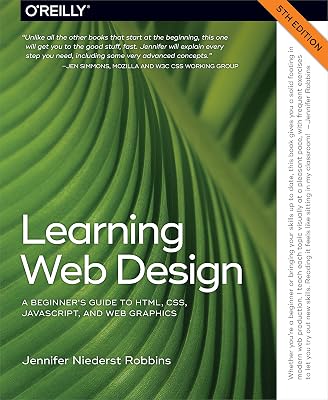
Learning Web Design
A gentle walk through HTML, CSS, JavaScript and web graphics.
Check it on Amazon →
Want the whole shelf sorted by type? Browse all Top Picks →